Hi @Mataio Irving,
Welcome to the Microsoft Q&A forum.
I would like to provide you with the following information:
To resolve this issue, please follow the steps below:
1/ Check the Outlook status
Please look at the bottom-right corner of Outlook and check the current status.
If it shows Disconnected, Working Offline, or Trying to connect…, this means that Outlook is unable to connect to the email server to send your messages.
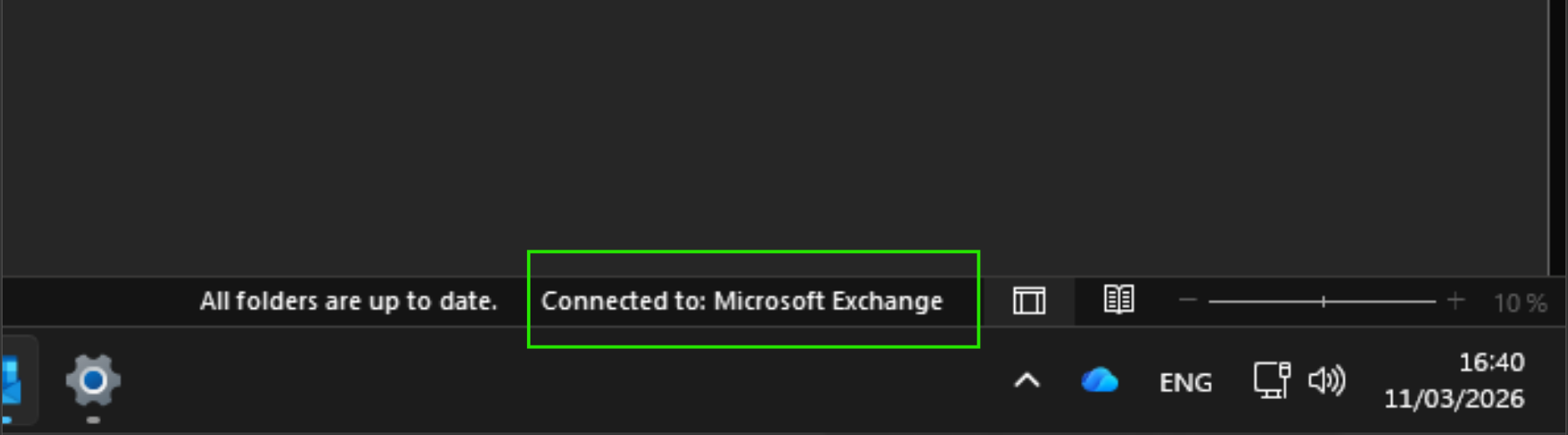
To resolve this, please do the following:
- Step 1: Select Send/Receive
- Step 2: Check whether Outlook is currently in Work Offline mode. If so, please turn it off.
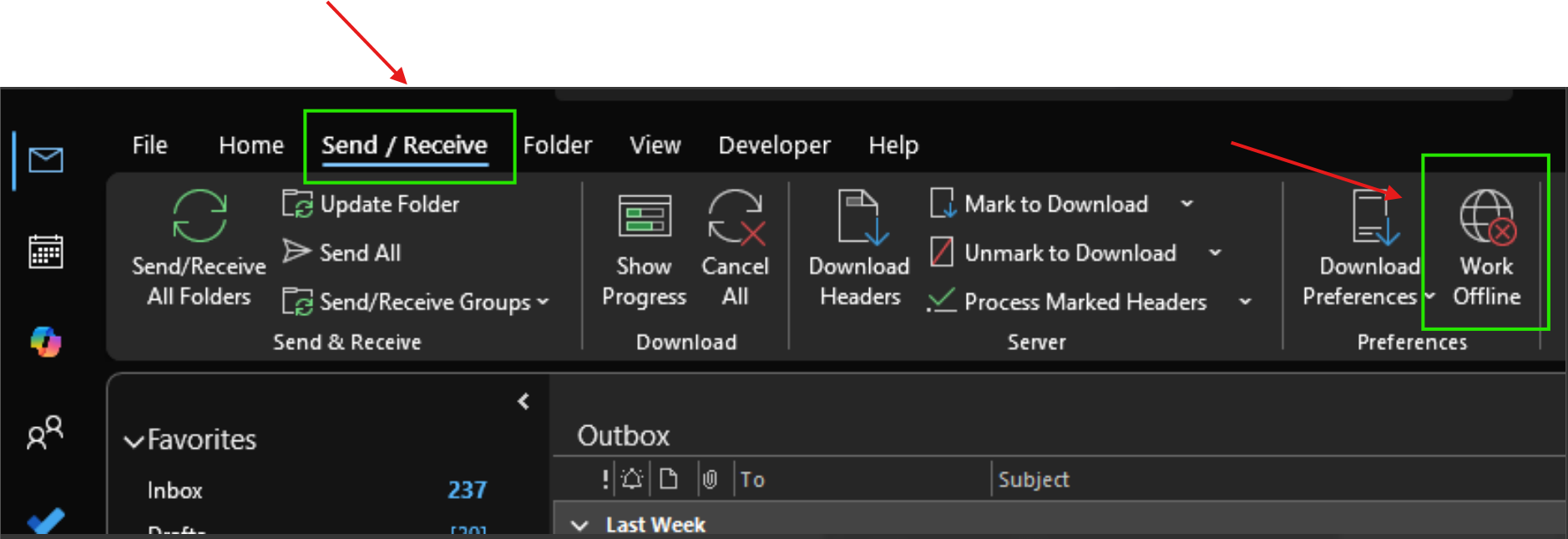
Additionally, you can try enabling Work Offline and then disabling it again to see if the issue is resolved.
2/ Check for emails with large attachments
Some email providers (such as your ISP or Gmail) do not allow sending emails that exceed a certain size limit. Adding large images or attachments may prevent emails from being sent (and can also affect subsequent emails).
Please follow these steps:
- Open the Outbox
- Open the stuck email, starting with the oldest one
- If the email contains an attachment larger than 20 MB, remove the attachment and:
- Attach a smaller file, or
- Attach a link to the file
For more information, please refer to Reduce attachment size to send large files with Outlook.
3/ Perform an Online Repair for Outlook (Classic)
- Step 1: Press Windows + I
- Step 2: Select Apps > Installed apps
- Step 3: Locate Microsoft Office
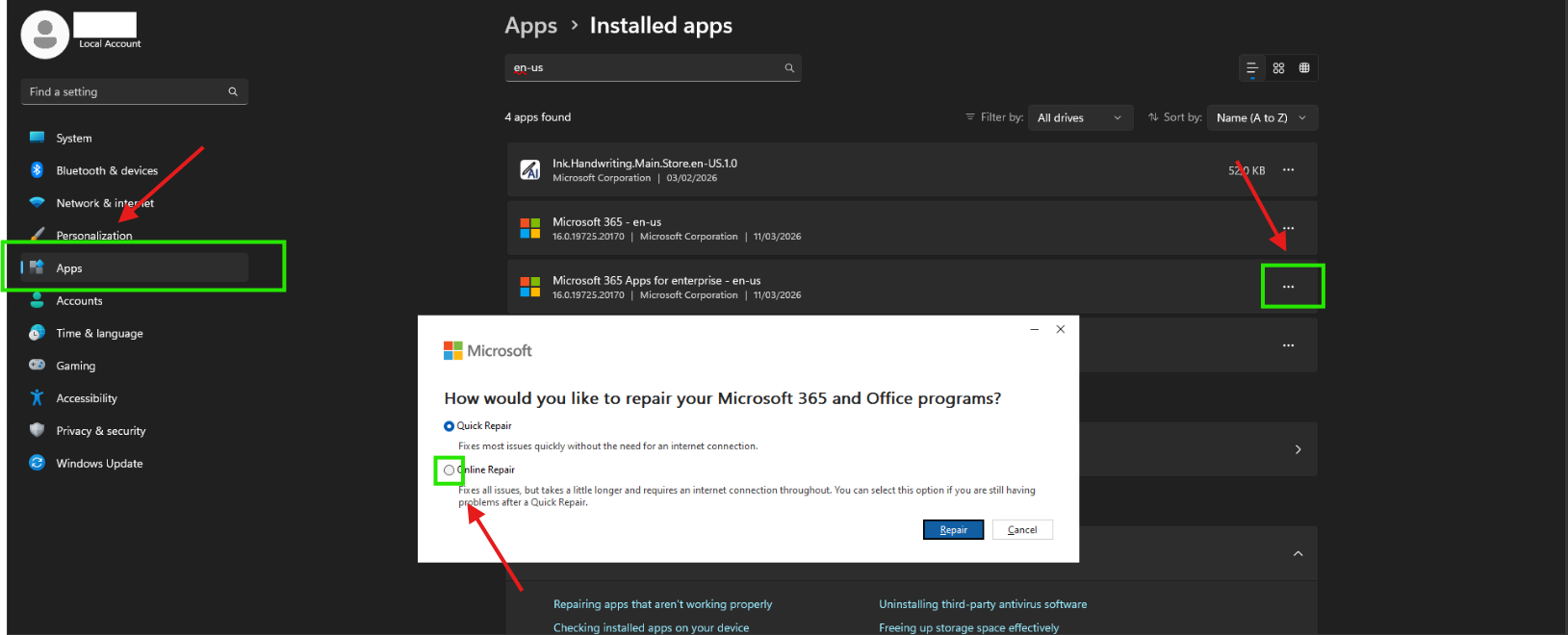
- Step 4: Select the … icon > Modify > Online Repair
4/ Create a new Outlook profile
- Step 1: Open Control Panel
- Step 2: Select Mail (Microsoft Outlook)
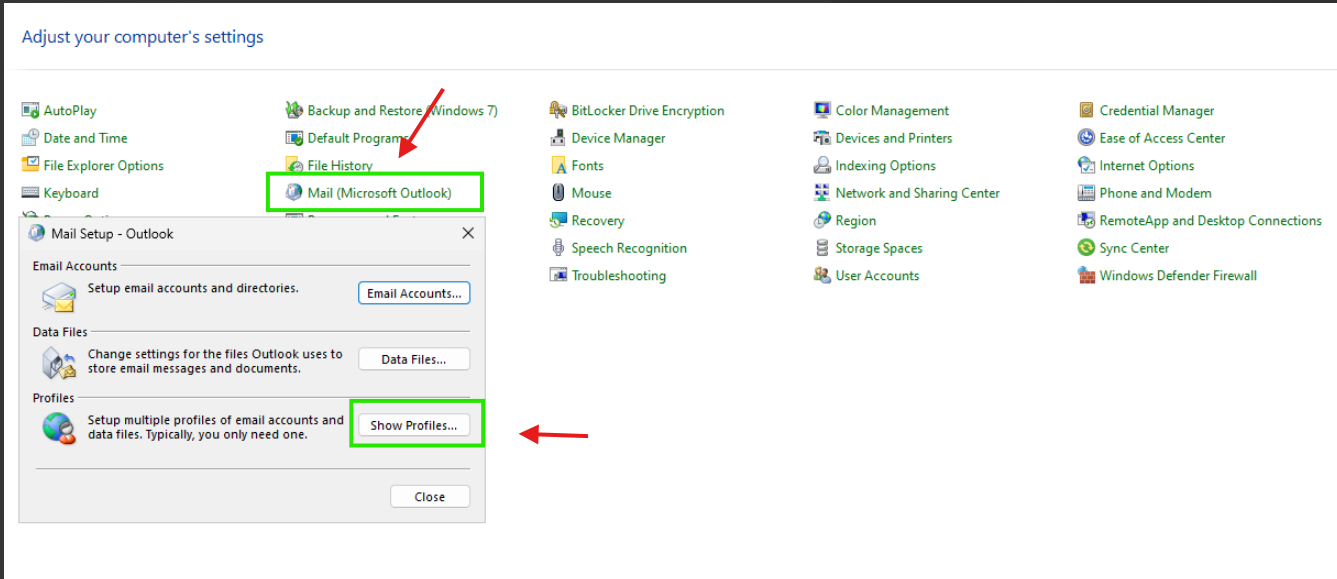
- Step 3: Select Show Profiles
- Step 4: Select Add to create a new profile
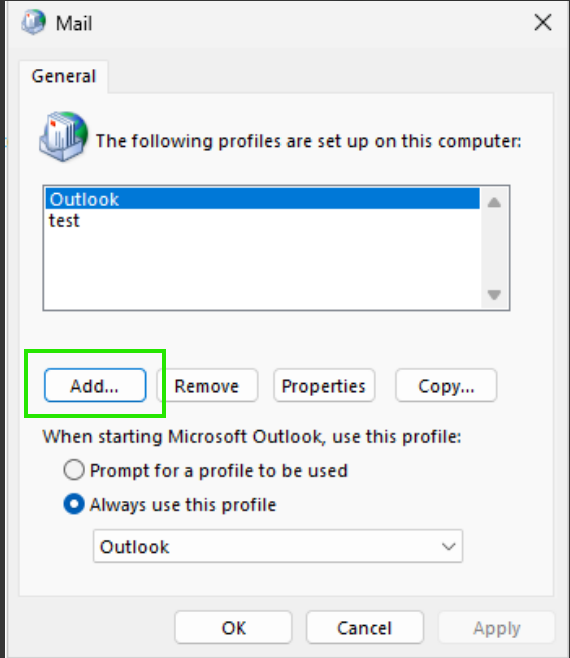
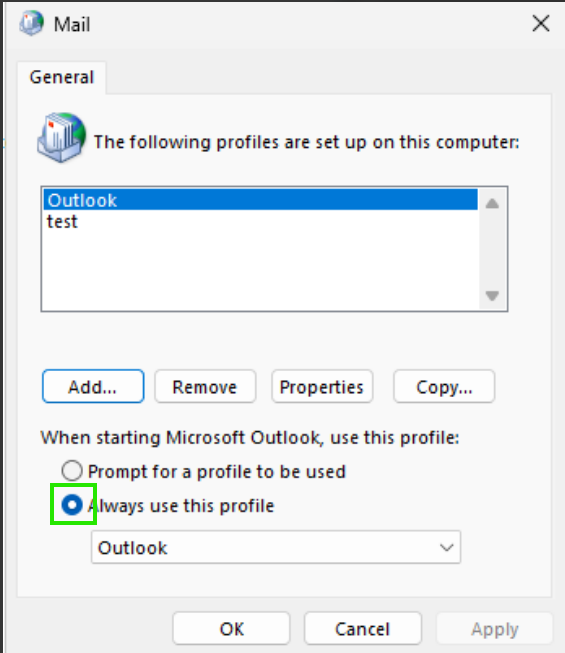
- Step 5: Return to Show Profiles, select the newly created profile, and choose Always use this profile
5/ Open Outlook in Safe Mode
Please open Outlook in Safe Mode to check whether the issue still occurs.
If Outlook works normally in Safe Mode, the issue is most likely caused by one of the add-ins.
Next, open Outlook in normal mode and follow these steps:
- Step 1: Select File > Options
- Step 2: Select Add-ins > Go
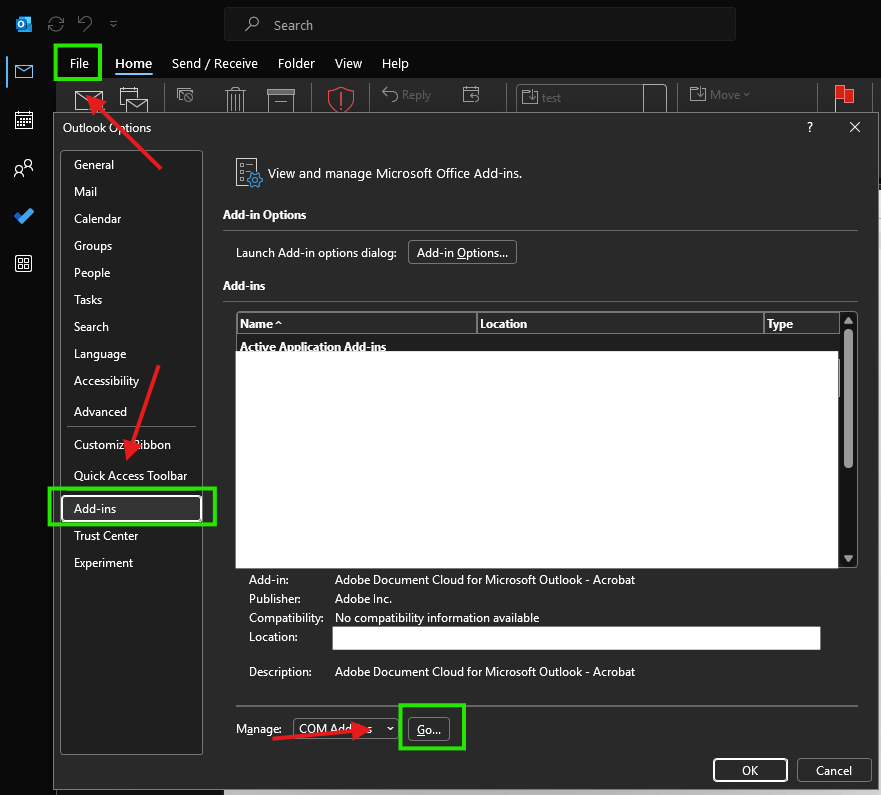
- Step 3: Disable all add-ins, then re-enable them one by one to identify which add-in is causing the issue
You can refer to the document below for more information:
I can't send or receive messages in Outlook - Microsoft Support
I hope this information is helpful. Please follow these steps and let me know if it works for you. If not, we can work together to resolve this.
Thank you for your patience and your understanding. If you have any questions or need further assistance, please feel free to share them in the comments on this post so I can continue to support you.
I look forward to continuing the conversation.
If the answer is helpful, please click "Accept Answer" and kindly upvote it. If you have extra questions about this answer, please click "Comment".
Note: Please follow the steps in our documentation to enable e-mail notifications if you want to receive the related email notification for this thread.
' cx='32' cy='32' r='32' /%3E%3Ctext x='50%25' y='55%25' dominant-baseline='middle' text-anchor='middle' fill='%23FFF' %3EMI%3C/text%3E%3C/svg%3E)

' cx='32' cy='32' r='32' /%3E%3Ctext x='50%25' y='55%25' dominant-baseline='middle' text-anchor='middle' fill='%23FFF' %3ERN%3C/text%3E%3C/svg%3E)
' cx='32' cy='32' r='32' /%3E%3Ctext x='50%25' y='55%25' dominant-baseline='middle' text-anchor='middle' fill='%23FFF' %3EAT%3C/text%3E%3C/svg%3E)
