Note
Access to this page requires authorization. You can try signing in or changing directories.
Access to this page requires authorization. You can try changing directories.
[This article is prerelease documentation and is subject to change.]
Important
- This is a preview feature.
- Preview features aren’t meant for production use and might have restricted functionality. These features are subject to supplemental terms of use, and are available before an official release so that customers can get early access and provide feedback.
Lead Research and Outreach provides you with a comprehensive overview of the research conducted on your leads. This includes insights into the lead's company, recent news, and other relevant information that can help you tailor your outreach strategy. You can view this research in your CRM and in the Sales personal app.
View leads researched in Sales personal app
When your administrator has enabled the Lead Research and Outreach, you can view the leads that are researched by the Lead Research and Outreach in the Sales personal app.
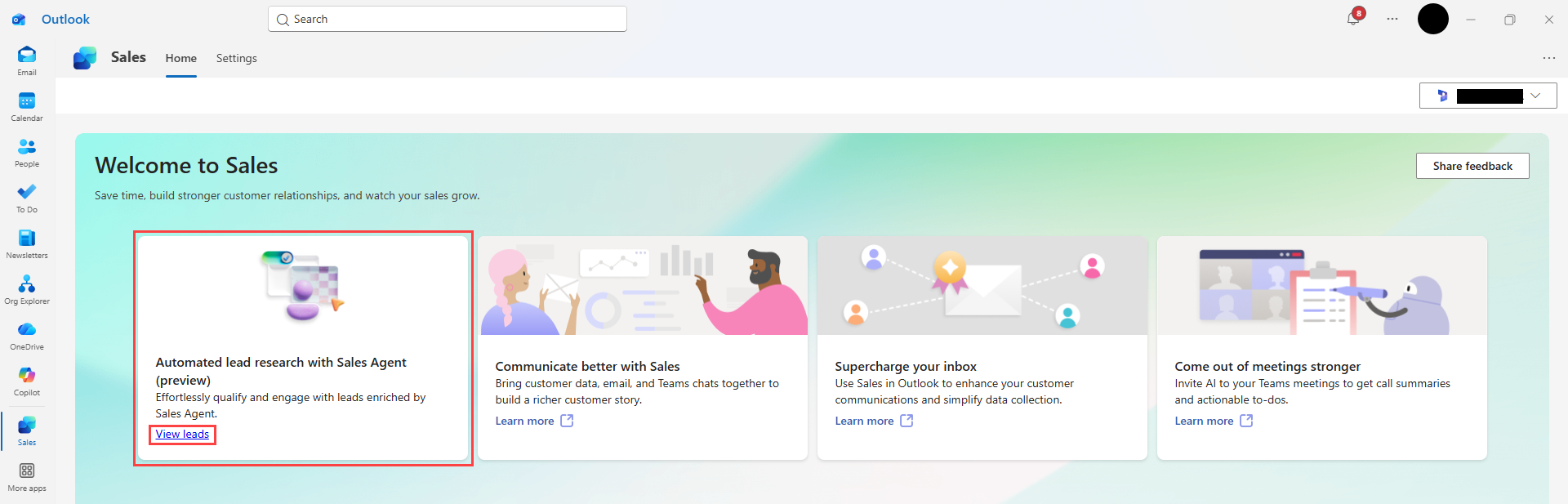
Open the Sales personal app in Teams or Outlook.
Navigate to the Home tab of the app.
On the Automated lead research with Sales Agent - Lead Research card, select View leads.
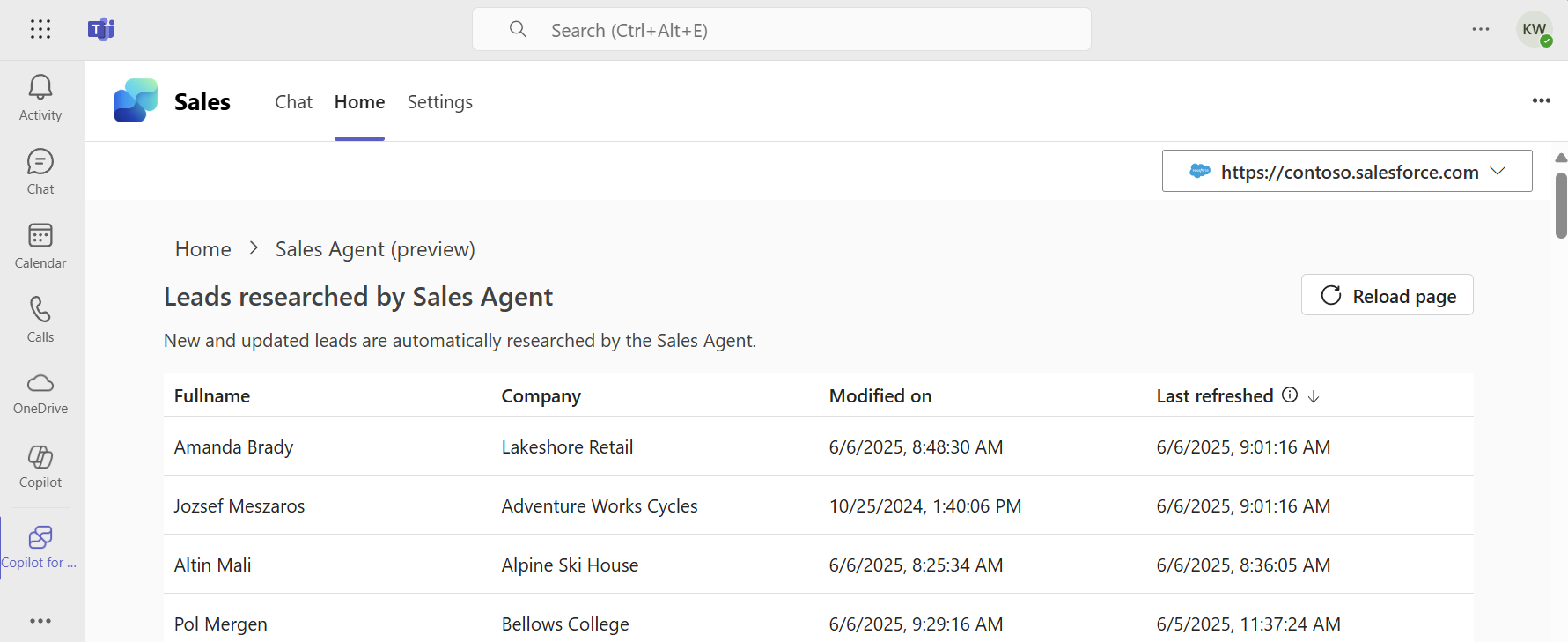
The Leads researched by Sales Agent - Lead Research page opens with a list of leads that are researched by Lead Research and Outreach.
Note
- Only leads that your admin has configured to be researched are displayed in this list.
- Only leads you have access to view in the CRM are shown.
- Lead Research and Outreach automatically performs research on leads when they're created or modified in your CRM. You can see the status of the research progress on this list.
To view the research details for a lead, select the lead from the list. The lead research details page provides a summary of the research conducted by Lead Research and Outreach, including key insights and information about the lead's company. Learn more about the lead research details.
View lead research details in Sales personal app
The Lead Research and Outreach shows the key insights it has gathered, such as if the lead is a decision maker or even a real person or company, so you can make quick decisions to disqualify or pursue each lead. The company's key information, such as their industry, finances, strategic priorities, and business challenges are summarized to help you learn what you need to know about every lead.

View lead research in your CRM
A summary of the lead research will be available in your CRM if your admin has configured this capability. The summary provides a short summary of the information gathered about the lead, along with a link to view the full research details in the Sales personal app.
Open your CRM (Microsoft Dynamics 365 Sales or Salesforce Sales Cloud).
Navigate to the lead record you want to view.
Look for the Sales Agent section on the lead record page. This section contains the summary of the research conducted by Lead Research and Outreach.
Select View research details to see the full research report in the Sales personal app.
